
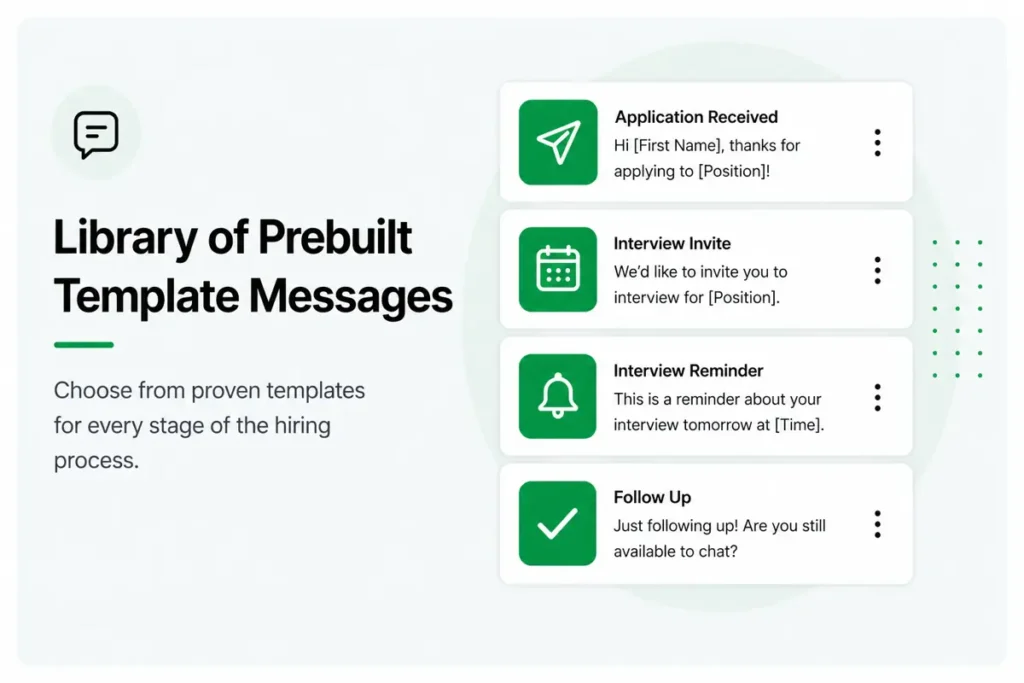
One of the fastest ways to hire faster is through using Text Recruiting Template Messages that you can send quickly to engage and respond to candidates faster than your competitors — and at scale.
Here are several text message examples that you can cut and paste, or when you're using GoHire, just add them to your personal template library.
In fact, GoHire clients have access to over 68 pre-written, merge-field-ready SMS messages that let your team engage candidates in seconds instead of hours.
With a 98% open rate and most texts read within three minutes, recruiting text message templates are the fastest tool in your hiring stack.
This guide gives you 15+ ready-to-use text recruiting templates organized by hiring stage — from first outreach through post-interview follow-up, plus TCPA-compliant consent messages. Every template uses response triggers (not links) to drive action, includes personalization via merge fields like {{firstname}} and {{brandname}}, and follows the patterns GoHire clients use to reduce time-to-offer from 7–14 days to 24–48 hours.
How to Use These Text Recruiting Templates
Before you copy and paste, here are the rules that make SMS recruiting message templates actually work.
Personalize every message. The templates below use merge fields — {{firstname}}, {{brandname}}, {{recruitername}}, {{schedulinglink}} — that auto-populate with candidate and company data. GoHire handles this automatically, but if you're using any text recruiting platform, merge fields are non-negotiable. A generic "Hello, we'd like to schedule an interview" performs dramatically worse than a personalized message that uses the candidate's name and your company's name.
Use response triggers, not links. The most effective recruit-by-text templates end with a clear instruction: "Reply YES and I'll send details" or "Reply here if you have questions." GoHire's Text Invite feature converts these reply keywords into automated next steps — when a candidate replies YES, the system can instantly send interview times, application links, or event details. This keeps the entire interaction inside SMS, where candidates are most responsive.
Keep it under 160 characters when possible. SMS messages over 160 characters split into multiple texts on some carriers. While GoHire handles concatenation seamlessly, shorter messages get faster responses. If a template runs long, it should be because every word earns its place — not because you're padding it with filler.
Comply with TCPA before sending anything. Every candidate must opt in before receiving recruiting texts. Include opt-out language ("Reply STOP to unsubscribe") in your initial message, and ensure your platform — like GoHire — processes STOP requests automatically. We've included a TCPA consent template below.
Candidate Outreach Templates
These text recruiting first outreach templates are your top-of-funnel messages — designed to reach new candidates, referrals, and passive talent. The goal is a single reply that pulls the candidate into your pipeline.
Best for: Sourced candidates, job board leads, database outreach
This template works because it's concise, names the sender, and ends with a clear response trigger. The "Reply YES" prompt is the most effective call-to-action in text recruiting message examples — it converts a passive reader into an active lead with one word.
Best for: Passive candidates on LinkedIn, referrals from current employees
For passive candidates, the "no-pressure" framing is critical. You're acknowledging they have a job and aren't looking. This template respects their time while creating curiosity — the "building something exciting" hook invites a response without requiring commitment.
Application Follow-Up Templates
Once a candidate applies, speed determines whether they stay engaged or move on. These text recruiting message examples ensure your acknowledgment is instant and your next steps are clear.
Best for: Immediate auto-response after application submission
Best for: Candidates in review for 3+ days, keeping the pipeline warm
The status update template solves one of the biggest candidate experience complaints: silence. GoHire's text recruiting platform can trigger this message automatically after a set number of days, so no candidate ever feels forgotten in your pipeline.
💬 GoHire: Text Recruiting Built for Speed
GoHire's two-way text recruiting platform lets candidates apply by texting a keyword, get pre-screened by an AI chatbot, and self-schedule their interview — all over SMS. No app downloads. No email chains. 98% of texts are read within 3 minutes.
Interview Scheduling Templates
Interview scheduling is where text recruiting templates deliver the biggest time savings. Instead of phone tag and calendar links, these templates use GoHire's Text Invite feature to let candidates self-schedule directly via SMS.
Best for: Initial phone screens, first-round scheduling
Best for: On-site interviews, second-round scheduling
Both scheduling templates include the candidate's name, the company name, and a clear action step. The in-person template adds the office address proactively — reducing the follow-up "where is the interview?" question that wastes recruiter time. With GoHire's automated interview scheduling, candidates pick their own slot and get an instant confirmation — 92% of qualified candidates self-schedule within 24 hours.
Interview Reminder Templates
No-shows are the silent killer of high-volume recruiting. These text interview invite template follow-ups ensure candidates show up prepared and on time.
This two-step reminder sequence is one of the highest-ROI text recruiting templates in GoHire's library. The day-before message includes a CONFIRM/RESCHEDULE response trigger — giving the candidate a graceful exit if they can't make it, which is far better than a silent no-show. The morning-of message is short, warm, and purely logistical. Together, they significantly reduce no-show rates for GoHire clients.
Best for: Same-day standalone reminder when a sequence isn't set up
TCPA Consent and Compliance Templates
Every text recruiting program must start with TCPA-compliant opt-in. These recruiting text message template examples handle consent collection properly — with required disclosures and automatic opt-out processing.
The consent request template includes every element TCPA requires: identification of the sender, purpose of the messages, msg and data rates disclosure, reply frequency notice, and clear opt-out instructions. GoHire's platform processes STOP keywords automatically at the carrier level — compliance isn't something your team has to think about.
Tips for Customizing Text Recruiting Templates
Two-way messaging is the secret weapon behind every effective text recruiting template. Unlike email, where candidates passively receive information, text templates are built for candidate engagement — every message ends with a response trigger that invites the candidate to reply, ask questions, or take the next step. This bidirectional design is what drives the response rates that make SMS dramatically more effective than email for recruiting. GoHire's platform tracks every reply, routes candidate questions to the right recruiter, and logs the entire conversation for compliance.
Match the tone to your brand. If your employer brand is casual and fun (think: a restaurant chain or retail brand), loosen the language. If it's more corporate, keep the professional tone. The structure of each template — personalization, clear action, response trigger — should stay the same regardless of tone.
Add industry-specific details. For healthcare roles, mention certifications and licensure in your interview scheduling templates. For warehouse jobs, include shift times and physical requirements. The more specific your text recruiting message examples are to the role, the higher your response rate.
Test and iterate. GoHire's analytics dashboard shows response rates for every template in your text recruiting campaigns. If a template underperforms, change the opening line or the call-to-action and compare results. The best recruit-by-text templates evolve over time based on candidate behavior data.
Preserve merge fields. When customizing, always keep merge fields intact. A template with {{firstname}} that gets accidentally replaced with a static name defeats the purpose of personalization. GoHire auto-populates all merge fields from your candidate records, so leave the curly brackets in place and let the platform do the work.
Don't forget the candidate follow-up text template. Most recruiters nail the initial outreach but drop the ball on follow-up. Add a 48-hour and 96-hour follow-up template to every outreach workflow. GoHire's text recruiting scripts include complete follow-up sequences you can deploy as-is.
Building Your Text Recruiting Templates Library
A complete text recruiting templates library should cover every stage of the hiring funnel — from first outreach through post-interview communication and TCPA compliance. Start with the templates in this guide, then expand based on your specific hiring needs. GoHire's platform lets you save, organize, and version-control your SMS recruiting message templates so your entire team uses consistent, approved messaging.
The most effective recruiting text message template libraries evolve over time. Track response rates for every template, identify your top performers, and retire the underperformers. GoHire's analytics dashboard makes this easy — you can see exactly which recruit-by-text templates drive the highest response rates and the fastest time-to-schedule across different roles, locations, and candidate sources. Over six months of data-driven iteration, your template library becomes a competitive advantage optimized for your specific candidate audience, industry, and hiring volume.
See How GoHire Automates Your Hiring
GoHire customers fill roles in 24-48 hours instead of 7-14 days — with zero phone calls and zero emails. 92% of qualified candidates self-schedule their interview within 24 hours.
Frequently Asked Questions
What are text recruiting templates?
Text recruiting templates are pre-written SMS messages designed for specific stages of the hiring process — outreach, application follow-up, interview scheduling, reminders, and compliance. Each template includes merge fields for personalization and response triggers that drive candidate action. They're the building blocks of any text recruiting strategy.
How do I personalize recruiting text message templates?
Use merge fields — placeholders like {{firstname}}, {{brandname}}, and {{schedulinglink}} — that auto-populate with candidate and company data when the message sends. GoHire pulls merge field data directly from candidate records, so every text feels personal without manual data entry. Personalized SMS recruiting message templates consistently outperform generic messages in response rates.
Are text recruiting templates TCPA compliant?
The templates themselves are compliant, but compliance depends on your process. You must obtain prior express written consent before sending recruiting texts, include opt-out instructions (Reply STOP), and honor opt-out requests immediately. GoHire handles TCPA consent management and STOP processing automatically at the platform level, so every message you send through the system is compliant by default.
How many templates do I need to start text recruiting?
At minimum, you need five text recruiting templates to cover the core hiring workflow: one outreach message, one application acknowledgment, one interview scheduling message, one interview reminder, and one TCPA consent message. From there, add templates for follow-ups, status updates, and post-interview communication as your program scales.
Can I use the same template for every role?
The structure and response triggers can stay the same, but the content should be tailored to the role and industry. A recruit-by-text template for a warehouse position should mention shift times and physical requirements, while one for a healthcare role should reference certifications. GoHire's template library includes industry-specific variations you can customize for any role.
What's the difference between a template and a campaign?
A template is a single message. A campaign is a multi-step sequence of templates that fire automatically based on triggers, time delays, and candidate responses. Think of templates as the individual texts and campaigns as the automated workflow that strings them together. GoHire supports both — standalone templates for one-off messages and full campaigns for automated sequences.
What response rate should I expect from text recruiting templates?
GoHire clients see response rates that far exceed email-based recruiting. The key drivers are personalization (merge fields), timing (sending within hours of application), and clear response triggers ("Reply YES"). The 98% SMS open rate means your message is virtually guaranteed to be seen — the template quality determines whether the candidate responds.
